Can Vending Machine Screens Make Money From Ads? Yes, If You Control What Plays and Can Wait for the Payout
Yes, vending machine screens can make money from ads. The ads run while nobody is shopping, and you are paid for the ads that actually play. Whether it's worth doing depends on which screens you have, how many people walk past them, and how long you can wait to get paid. This guide is for operators with smart coolers, micro markets or AI machines who want to know if screens that already sit in their locations can bring in more money.
By Mike Hoffmann, Founder · 8 min read
See VendMedia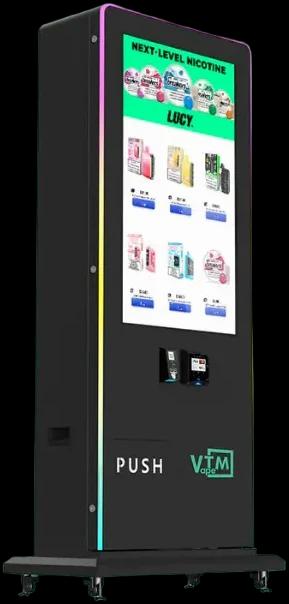
On this page (10 sections)
- Can vending machine screens make money from ads at any location?
- How do ads on a vending machine screen actually work?
- Which vending machine screens can run ads?
- Will ads get in the way of people buying from the machine?
- How much control do you get over which ads play?
- When do you get paid for screen ads?
- How do you tell if screen ads are worth it for your route?
- How do screen ads compare with other ways to earn more per machine?
- Your move this week
- Frequently asked questions
Can vending machine screens make money from ads at any location?
Not at every location, and not on every screen. The money depends on foot traffic, how many screens you connect, and whether your hardware works with an ad program.
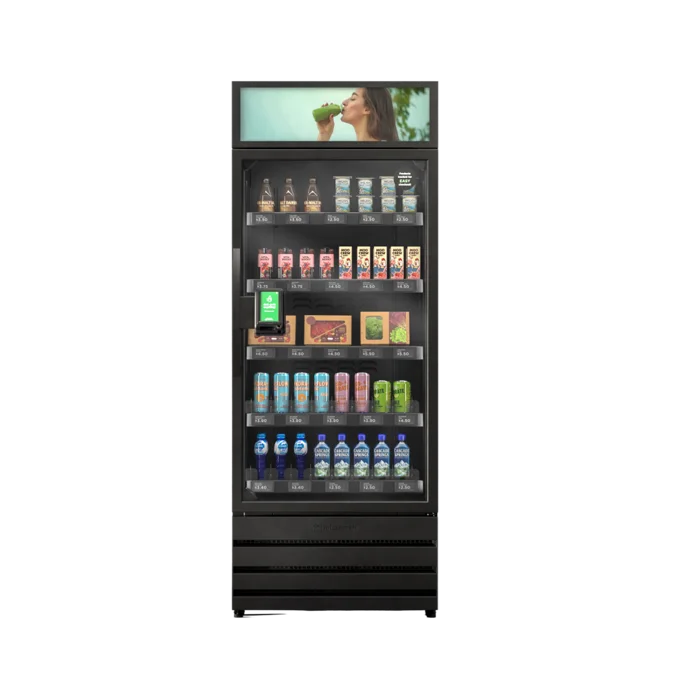
Look at a smart cooler in a lobby. Most of the day its screen plays a logo, a menu or product photos, in a place where people wait, walk and look around. Advertisers pay to reach people in places like that, so a screen's idle time is something you can sell.
Three things decide how much a screen is worth:
- Who walks past. More people with more spending power make the slot worth more to advertisers. A busy lobby in a large city beats a quiet back hallway.
- How many screens you run. Ad money grows with the number of screens and the traffic past each one.
- How play is tracked and paid. You want proof that every ad ran and clear rules for when and how you get paid.
VendMedia, VendHub's screen advertising product, pays operators for ads on machines with a screen: smart coolers, micro markets, AI machines and Vera machines. Its page says earnings depend on the screen, that higher-traffic areas earn the most, and that the team will give you an estimate for your network.
How do ads on a vending machine screen actually work?
An app on the screen asks for ads, advertisers bid for the slot, and the winning ad plays while the machine is idle. Each ad that plays is recorded, and those records are what you get paid on.
This is called programmatic advertising. The screen sends a request to an ad exchange every few seconds, advertisers bid on the slot, and the winner's ad shows up. The screen then reports back that the ad actually played.
With VendMedia, VendHub handles the exchange connections, the bidding and the delivery. You don't sign deals with advertisers one at a time. Every impression comes with timestamped proof of play, and you're paid for ads actually delivered to your screens, into your VendHub account.
Which vending machine screens can run ads?
That depends on the brand. Some screens connect through a software update, some need a small external player, and some need a new screen. Find out which applies to your machines before you count them.
The VendMedia page lists three ways onto a screen:
| Screen brand | How it connects to VendMedia | New hardware needed? |
|---|---|---|
| SandStar | Software update over the air | No |
| MicroMart | Small external media player in the HDMI port | Yes, a player |
| HAHA | New custom screen | Yes, a screen |
For MicroMart and HAHA, the player or screen is sold in the VendHub equipment marketplace next to the machines in the equipment catalog. VendHub members get member pricing on equipment and supplies. That adds up if you're buying players or screens for several machines.
The connection method changes your math. A screen that connects over the air costs you almost nothing upfront. A screen that needs new hardware has to earn back that cost before it adds anything. Write down the brand and model of every screen in your fleet before you go further.
Will ads get in the way of people buying from the machine?
They shouldn't. A good program plays ads only when the screen is idle, so a shopper who walks up sees the products and the checkout as usual.
That's how VendMedia works: ads fill idle time and stop when someone starts shopping. The machine's first job is still selling, and an ad that cuts into a purchase costs you more than it pays.
Ask any program how it handles this, then test it yourself. Put ads on one screen, walk up as a shopper a few times, and watch what happens. If checkout gets slower or confusing, turn it off before you add more screens.
How much control do you get over which ads play?
You should get a lot. With VendMedia you can block specific advertisers or whole categories, require opt-in for sensitive categories, and set how often and at what times ads play. If a program gives you no controls, don't sign up.
Controls matter because the screen sits in someone else's building. A gym, a hospital or a school may not want certain categories in front of their people. Blocking those categories before ads go live saves you an awkward call later.
Tell your location contacts before the first ad runs. A short heads-up about what will play, and what you've blocked, keeps the relationship clean. If your agreement with the location covers what appears on your equipment, reread it first; our post on vending contracts and commissions covers what those agreements usually spell out.
Frequency and time-of-day settings also keep shoppers from tiring of the screen. Start with fewer ads, see how the location reacts, and adjust from there.
When do you get paid for screen ads?
Later than you might expect. VendMedia's page says payment depends on the ad contract and can take weeks or months. Some campaigns pay in installments and others pay at the end of the run.
Plan around that delay. Don't count on ad money for this month's restock or this month's bills. Treat it as money that shows up later and pads the quarter, not a weekly payout.
Ask any program for its real payment timing, not the best case. Find out what triggers a payout, where it lands and what records come with it. With VendMedia, your share is paid to your VendHub account and backed by proof of play on each impression.
How do you tell if screen ads are worth it for your route?
Set a break-even before you sign up. Nobody can tell you in advance what a screen will earn, because that depends on the campaigns running and the traffic at your sites. You can still work out what each screen would need to earn to pay for itself.
Work it out like this:
- Add up the extra cost of hardware and setup for the screens you're considering, plus your own time.
- Pick how many months you're willing to wait to make that back.
- Divide the cost by those months, then by the number of screens. That's what each screen has to earn per month to break even.
- Ask whether that's realistic for the traffic at those locations.
Then rank your screens by traffic. Start with the busiest, measure for a quarter, and expand only if the numbers hold. If you have connected machines, VendLytics shows each machine's sales in one place, which tells you which screens sit in your busiest spots.
If your screens connect over the air with no new hardware, the upfront cost is small. Then the real question is whether the setup effort and managing the controls are worth your time. If you need new players or screens, the break-even bar is higher.
How do screen ads compare with other ways to earn more per machine?
Screen ads are one way to earn more, and usually not the biggest. Because the screens are already in place, the extra effort can be small, so it's worth doing alongside the other options, not instead of them.
Before you put hours into screen ads, compare them with:
- Selling more per machine. Fix a weak product mix, price correctly and keep machines full.
- Adding a placement. One new location with good profit per service hour often beats an ad slot. The vending location finder shows real nearby businesses for any ZIP code and business type.
- Cutting product cost. A better delivered cost on your best sellers adds margin on every sale. VendHub members order stock through Pantry.
- Rebates. Some programs pay money back on eligible products you already buy.
Screen ads can run alongside all four. Most operators should start with whichever one moves their numbers fastest and add ads to the screens they already own.
Your move this week
- List every screen you run with its brand, model and location, and mark which of the three connection methods applies to each.
- Run your two busiest locations through the free location profit calculator so you know what each spot already earns before you add ads.
- Work out your break-even per screen: hardware and setup cost, divided by the months you'll wait, divided by the number of screens.
- Write a short block list of advertisers and categories for each location type, and tell your location contacts before anything goes live.
- If your screens qualify, read the VendMedia page, then start with your highest-traffic screens and measure for a quarter.
Frequently asked questions
Do I need a smart cooler to run screen ads?
You need a machine with a screen that an ad program supports. VendMedia covers machines with screens, including smart coolers, micro markets, AI machines and Vera machines. A classic snack machine with only a keypad and a small display has no screen for ads, so check each machine before you count it.
How do I sign up for VendMedia?
Join VendHub and tell the team about your screens. You then have an onboarding call and wait for network approval. Once the network approves your screens, ads go live and you enroll eligible screens from your account. Expect some setup time before the first ad plays, especially if your screens need a player.
What proof do I get that an ad played?
VendMedia gives you timestamped proof of play for every impression. That record is what your payout is based on, since you're paid for ads actually delivered. Ask any other program for the same thing. If a program can't show you when each ad played, you have no way to check what you're owed.
Can I turn screen ads off later?
Before enrolling in any program, ask exactly how to switch ads off and what happens to payments for campaigns already running. You don't want to be locked in, especially in a location where the site contact may change their mind about what appears in their lobby. Get that answer in writing before you connect any screens.
Will a location ask for a share of ad money?
Some might, since the screen sits in their building. VendLytics produces a Location Statement and a Revenue Share report for each location, which gives you commission numbers to send them. Decide before you sign whether ad money is part of what you share, and put that in your agreement.
Keep reading
 Vending Machine Supplier Types: Pick the Mix With the Lowest Delivered Cost, Not the Cheapest Case Price
 Vending Machine Apps: Start With the Job That Eats Your Week, Then Add the Next Tool
 Vending Machine Telemetry: Check the Connection Before You Buy, Then Track Only What Changes Your Route
 Vending Repair: Fix the Payment and Delivery Parts Yourself, Call a Tech for Cold and Power