Vending CRM vs Spreadsheet for Finding Locations
Most operators start the same way. A map for finding businesses, a spreadsheet for tracking them, a notes app for what was said and a document template for the agreement. It works, it costs almost nothing, and plenty of good routes were built on it.
By Mike Hoffmann, Founder · 6 min read
See VendScout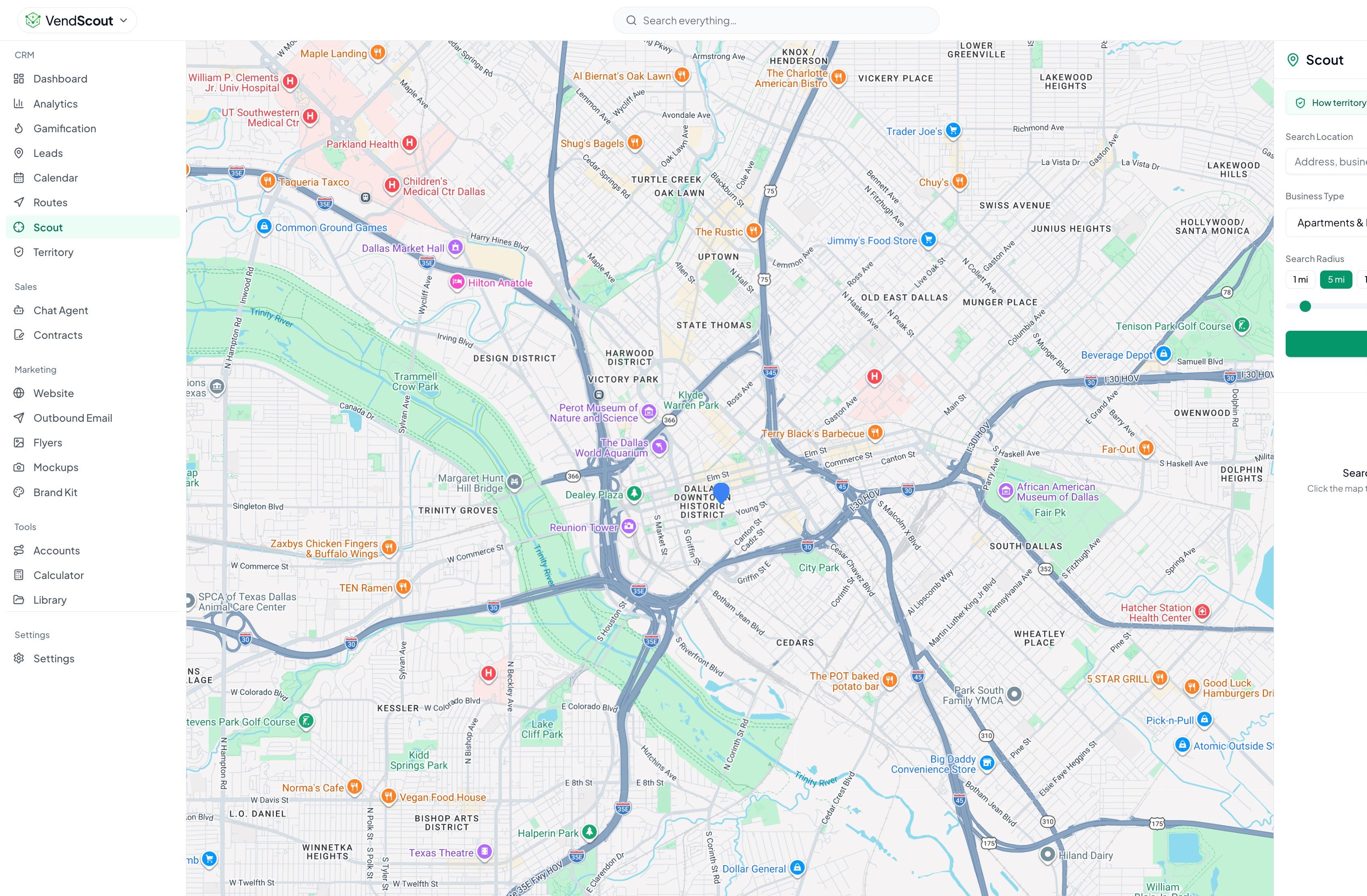
On this page (10 sections)
So the honest question in the vending machine CRM vs spreadsheet choice is not whether a spreadsheet can work. It can. The question is when a dedicated tool earns its place. This article compares the two approaches job by job, tells you where the DIY stack is the better choice and gives you a simple test for when to switch.
The comparison is between two approaches, not a ranking of products. Where VendHub is mentioned, the claims come from what the platform does today, and the one cost comparison that matters, price, lives on the pricing page.
The two setups
The DIY stack. A mapping app to find businesses, a spreadsheet as your pipeline, a calendar or notes for follow-up, a document template for proposals and contracts, and a signature tool when you need one.
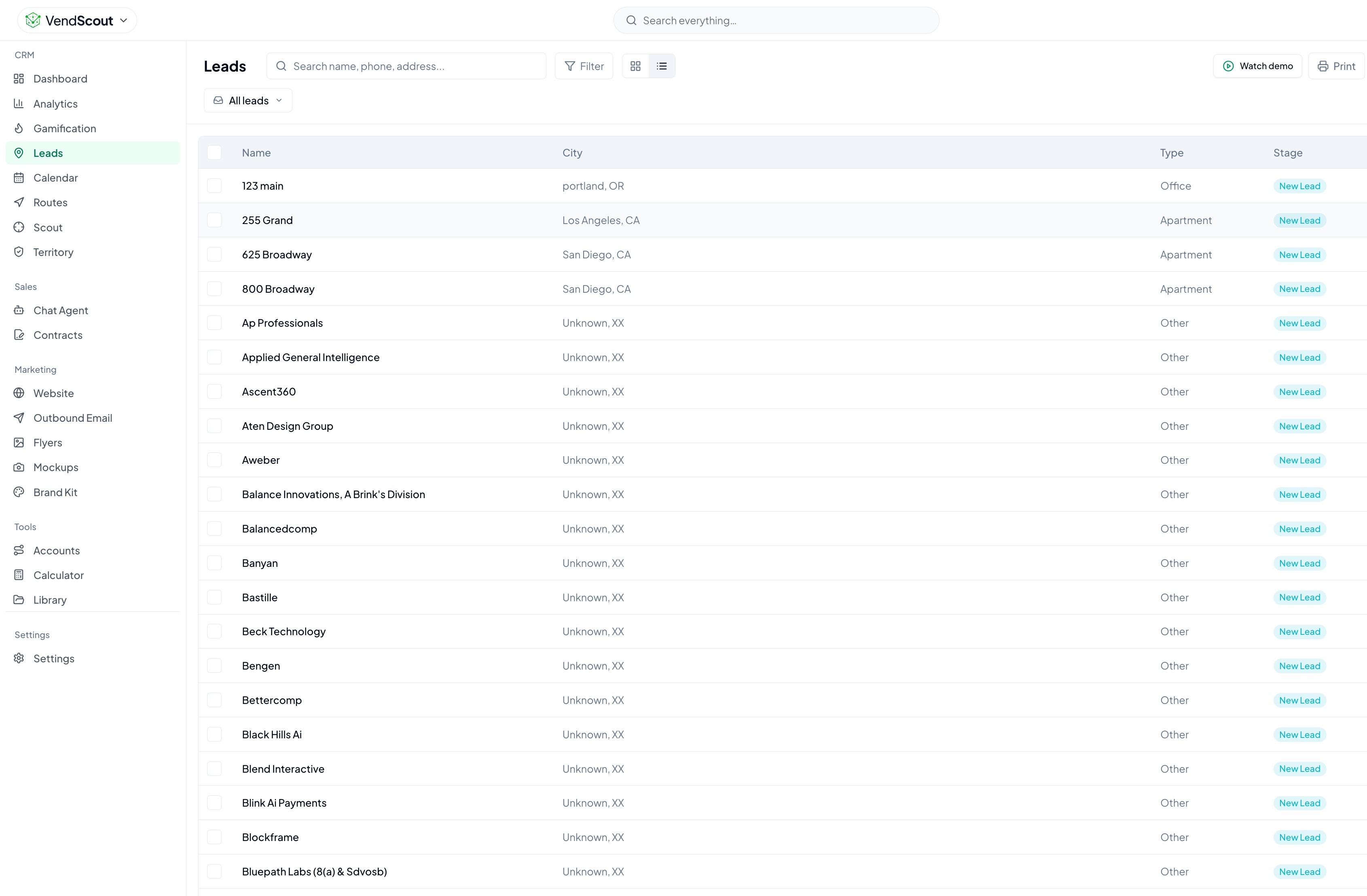
VendHub's VendScout. One account where you search by zip code and radius, import leads into a pipeline, score them, track follow-ups, build mockups, and draft and send contracts. Membership also covers the other parts of the platform, such as routes, equipment and Pantry, which this article does not cover.
Job by job
| Job | Spreadsheet and Google Maps | VendHub (VendScout) |
|---|---|---|
| Finding locations | Search a map one type at a time, copy details by hand | Search a zip and radius by location type, results show phone, address and reviews, with an email or website where one is listed |
| Finding the decision maker | Call, ask at the front desk, look on websites | Enrich a lead to look for the decision maker's contact details, per lead, results vary |
| Tracking leads | Rows and columns you design yourself | A pipeline with stages from flyer drop to pop-in to site visit to close |
| Ranking leads | Your own scoring, applied by hand | Each imported lead gets a score from its rating, reviews and location type |
| Follow-up | Reminders you set yourself | Follow-ups on a calendar, with today's follow-ups on the home screen |
| Pitching | A flyer or deck you make | Mockups of a machine in the prospect's space |
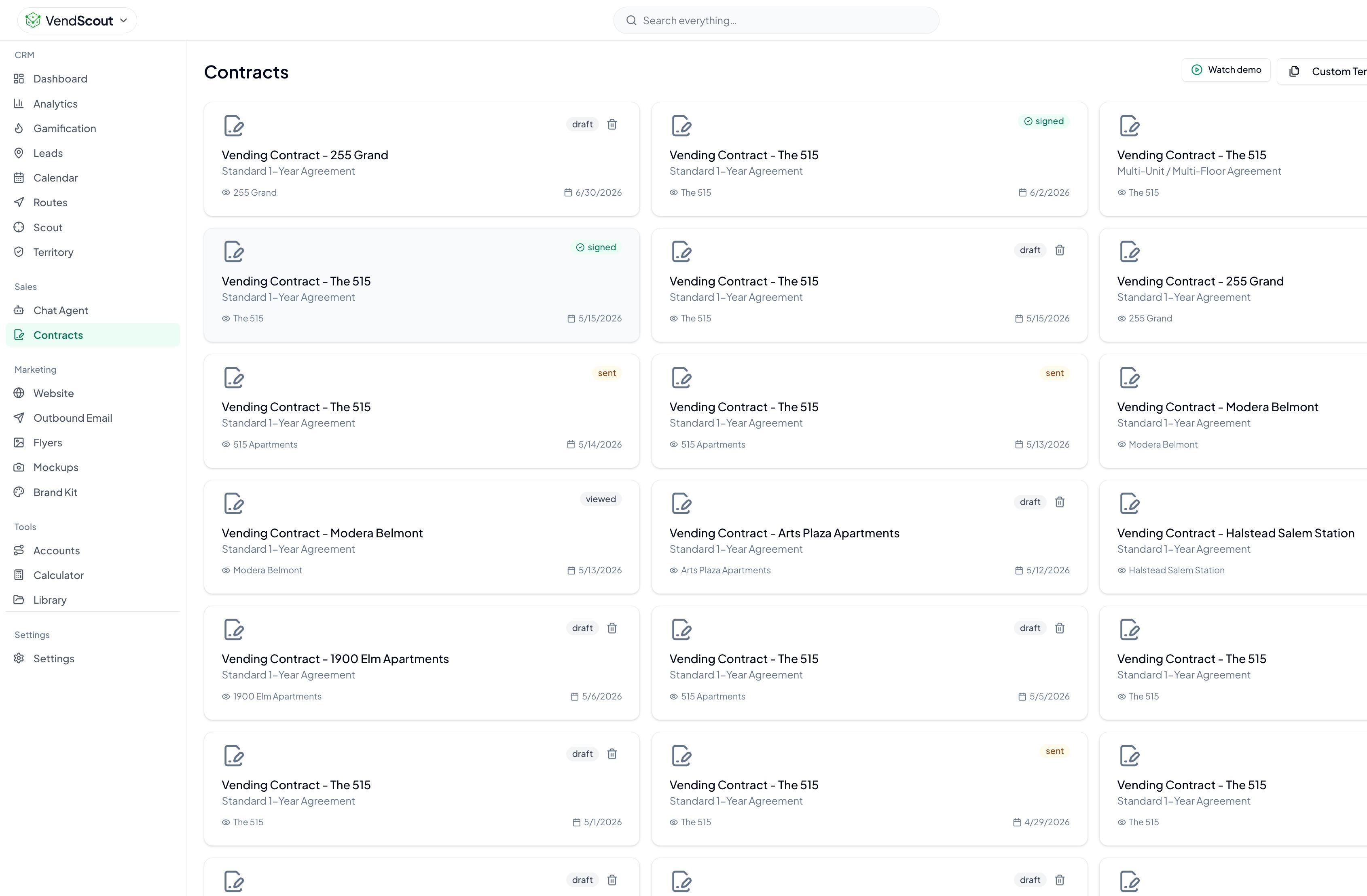
| Contracts | A document you edit each time, plus a signature tool | A service agreement drafted from a template, filled in from the lead, sent for e-signature |
| Driving to leads | Copy addresses into a map and order them yourself | Pick stops from your pipeline, order them and hand them to Google Maps |
| Cost to start | Free, or close to it | Membership, see pricing |
Where the DIY stack is the better choice
Be honest about this part, because it applies to many operators.
- You have five or fewer active prospects. A spreadsheet handles this with no effort. A tool adds little.
- You already have a system that you actually use. A tidy sheet you open every day beats a platform you forget to log into.
- Your market is small and you know it. If you know every property manager in town by name, search is not your problem.
- Money is the constraint right now. Starting free is a legitimate strategy.
- Your deals are unusual. If every contract is custom, a template saves less. VendScout's agreement is a starting point you edit and send, not legal advice, and an unusual deal should go past your own advisor either way.
Where a dedicated tool earns its place
The spreadsheet starts to strain at predictable points.
When the list is bigger than your memory
Past a few dozen active leads, you stop remembering who said "call me in March." A pipeline with stages and a calendar of follow-ups does that remembering for you.
When you prospect in new areas
Every new zip code means another round of searching, copying and cleaning. A search tool that returns phone, address and reviews in one pass saves the copy-paste hour.
When follow-up slips
Most locations say yes after several touches, not one. If your sheet has leads with no touch in six weeks, the cost of the spreadsheet is the placements you did not win.
When paperwork delays the close
If the agreement takes you two days to write, the manager's enthusiasm cools. A contract drafted from a template and filled in from the lead can go out the same day.
When more than one person works leads
A shared sheet gets messy quickly. Every VendHub account is an organization, so a team works under one shared login.
When you want one place for the rest
If you also order stock, buy machines or track sales, having prospecting in the same account as those reduces the number of tabs you keep open.
A fair test: audit your own sheet first
Before you switch anything, audit your sheet. It takes thirty minutes.
- Count your active leads.
- Count how many have had a touch in the last two weeks.
- List the ones where you do not know the next step.
- Estimate how long it took you to build your last proposal and contract.
- Count the hours last month you spent on search and data entry.
Now decide. If most leads are fresh, the next steps are clear and paperwork is quick, keep your setup. If a third or more of your list is stale, or you cannot say what happens next for many of them, the problem is the system, not your effort.
How to switch without losing momentum
If you decide to try a dedicated tool, move in stages.
- Keep the sheet for now. Do not delete anything on day one.
- Run one zip code in the new tool. Search it, import the best leads and work them for two weeks.
- Compare. How long did the search take? How many follow-ups landed on time? How fast did the contract go out?
- Move the live deals. Bring over leads that are mid-conversation so the pipeline reflects reality.
- Retire the sheet when you have not opened it in a month.
There is no lock-in with VendHub. You can use one piece of it, or all of it, and keep the suppliers and tools you already have.
A quick note on what we will not claim
A tool will not make a manager say yes. VendScout's scores rank leads by rating, reviews and location type, which is a place to start, not a prediction. Revenue estimates shown on leads are estimates, not promises of what a location will earn. Decision-maker enrichment finds contact details for some leads and not others. The advantage of a dedicated tool is time and consistency, not a guaranteed result.
Try the free tools first
You can test the approach before you commit to anything. The vending location finder takes a zip code and business type and returns five real nearby businesses. The placement proposal generator builds a print-ready proposal you can hand a property or office manager. Both are free.
If you want the full workflow, read Grow my route, look at VendScout or take the platform walkthrough. Membership details are on pricing.
Frequently asked questions
Is a spreadsheet good enough for a new vending route?
Often, yes. With a handful of prospects and a market you know well, a sheet and a map do the job for almost no cost. The strain shows when the list outgrows your memory or follow-ups start to slip.
What does a vending machine CRM do that a spreadsheet does not?
It keeps search, lead tracking, follow-ups, mockups and contracts in one place. In VendScout you search a zip code and radius, import leads into a pipeline with stages, see today's follow-ups on the home screen and send a service agreement for e-signature.
Will a CRM guarantee more placements?
No. Lead scores rank leads by rating, reviews and location type, and revenue estimates are estimates. What a dedicated tool gives you is time back and steadier follow-up, which is where many placements are won or lost.
How do I try a tool without losing my current pipeline?
Keep the sheet, run one zip code in the new tool for two weeks, then compare time spent, follow-ups made on time and days to contract. Move live deals over only if the new setup wins.
Decision checklist
- [ ] Count active leads and how many are stale
- [ ] Time your last proposal and contract from "yes" to "sent"
- [ ] Note how many hours a month go to search and data entry
- [ ] Decide whether the DIY stack is meeting your goals for new placements
- [ ] If not, trial one zip code in a dedicated tool for two weeks
- [ ] Compare time spent, follow-ups on time and days to contract
- [ ] Keep the system that gets you more placements for less effort
Both approaches can work. Choose the one that gets you to the next signed location with the least friction, and be willing to change when your route outgrows it.